
Choosing the right connectivity method is an important part of setting up a reliable receipt-printing system. Retail stores, restaurants, cafés, and service businesses may have different workspace layouts, POS systems, and networking requirements, so the best printer connection depends on how the equipment will be used.
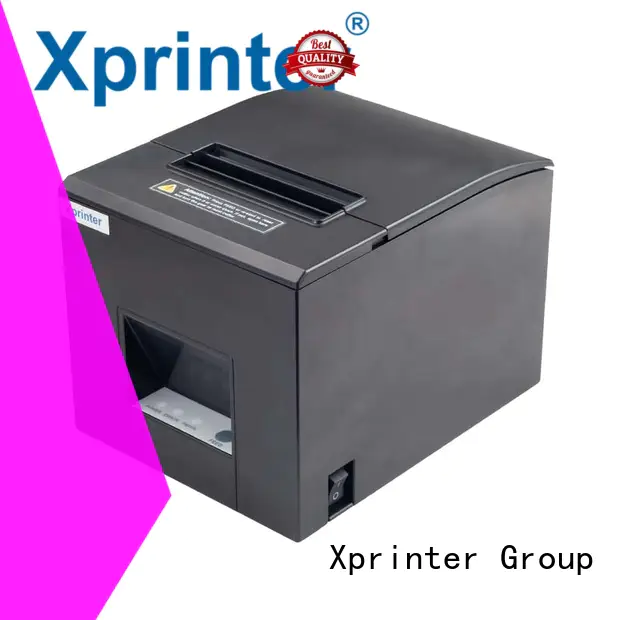
An 80mm Thermal Printer can be configured with wired or wireless connectivity depending on the model. Wired options such as USB and Ethernet provide direct or network-based connections, while wireless technologies such as Bluetooth can offer greater flexibility in printer placement.
Understanding Wired 80mm Thermal Printers
Wired thermal printers connect to a POS terminal or network using a physical cable. USB and Ethernet are two common connection methods.
USB typically connects the printer directly to a computer, POS terminal, or compatible device. Ethernet, meanwhile, connects the printer to a local network, allowing compatible systems on that network to communicate with it.
Wired connections are often preferred when reliability and predictable communication are the main priorities.
Advantages of Wired Connections
Wired printers offer several practical benefits:
- Stable communication between the printer and POS system
- No dependence on wireless signal strength
- Simple troubleshooting when a connection issue occurs
- Suitable for fixed checkout stations
- Ethernet can support network-based printing
For a permanent checkout counter, a wired connection can provide a straightforward and dependable setup.
Understanding Wireless 80mm Thermal Printers
Wireless thermal printers use technologies such as Bluetooth or Wi-Fi, depending on the model. Instead of requiring a data cable between the printer and POS device, they communicate wirelessly.
This can be particularly useful in environments where employees use tablets, smartphones, or mobile POS terminals. Wireless connectivity can also reduce cable clutter and make it easier to position equipment according to the available workspace.
Advantages of Wireless Connections
Wireless printing can provide:
- Greater flexibility in printer placement
- Fewer cables around the checkout area
- Convenient connections with compatible mobile devices
- Easier integration into certain mobile POS environments
- More flexibility for temporary or changing workstations
However, wireless connectivity depends on device compatibility and, for some technologies, signal quality and network configuration.
Wired vs. Wireless: Key Differences
Both approaches can work effectively, but their strengths are different.
| Feature | Wired Printer | Wireless Printer |
|---|---|---|
| Connection | USB or Ethernet cable | Bluetooth or Wi-Fi |
| Installation | Usually straightforward | May require wireless configuration |
| Mobility | Limited by cables | Greater flexibility |
| Signal concerns | Minimal | Possible interference or range limitations |
| Cable management | More cables | Fewer data cables |
| Best suited for | Fixed POS stations | Mobile or flexible setups |
The right option depends on the business’s physical environment and technical requirements.
When a Wired Printer Is the Better Choice
A wired printer is often appropriate for businesses with fixed checkout stations. If the printer and POS terminal remain in the same location throughout the day, a cable may provide all the connectivity needed.
USB can be particularly convenient for a single workstation. Ethernet may be more appropriate when several terminals need to communicate through an existing local network.
Wired connections can also be useful in environments where wireless interference or signal reliability is a concern.
When Wireless Connectivity Makes More Sense
Wireless connectivity is useful when the POS system needs to move around or when minimizing cables is important. Restaurants using tablets for tableside ordering, for example, may benefit from wireless printing.
Small businesses with flexible counter layouts can also appreciate the ability to position the printer without being restricted by the length of a data cable.
Before selecting a wireless model, businesses should verify compatibility between the printer, POS software, operating system, and mobile device.
Installation and Configuration Considerations
Wired and wireless printers require different setup processes. A USB printer may only require the correct driver and connection to a compatible POS device.
Ethernet models may require network configuration, including assigning the printer to the appropriate network and ensuring that POS terminals can communicate with it.
Wireless models can require pairing or network configuration. Businesses should follow the manufacturer’s setup instructions and confirm that the POS software recognizes the printer correctly.
Reliability During High-Volume Transactions
For businesses processing large numbers of transactions, connection reliability is especially important. A printing delay can interrupt checkout operations and create longer queues.
Wired connections generally provide predictable communication because the data travels through a physical connection. Wireless systems can also be reliable, but their performance may be affected by distance, interference, device compatibility, or network conditions.
The best choice is therefore the connection method that provides dependable communication in the actual operating environment.
Security Considerations
Network and wireless connectivity can introduce additional security considerations. Businesses should protect network-connected printers using appropriate network controls and access settings.
For wireless devices, pairing procedures and secure network configurations can help prevent unauthorized access. Businesses should also keep printer firmware and associated software up to date when updates are provided.
Security requirements are particularly relevant for businesses where multiple devices share the same network.
Cost and Long-Term Flexibility
The initial price of a printer should not be the only factor considered. Businesses should also think about installation, networking equipment, maintenance, and future changes to their POS setup.
A wired printer may be the most cost-effective choice for a fixed workstation, while a wireless model may provide greater value where mobility and flexible placement are important.
Some printers support multiple connectivity methods, giving businesses the option to change their setup as operational needs evolve.
How to Choose the Right Setup
Before selecting a wired or wireless printer, consider:
- Is the printer going to remain in one fixed location?
- Does the POS system use computers, tablets, or mobile devices?
- Is an Ethernet network already available?
- How important is cable reduction?
- How many POS terminals need to communicate with the printer?
- Could the business change its checkout layout in the future?
- Does the selected printer support the required POS software?
Answering these questions can make the choice more practical and less dependent on individual preferences.
Conclusion
There is no universally better connectivity option for an 80mm thermal printer. Wired models can provide stable communication for fixed POS stations, while wireless models offer greater flexibility for mobile and changing environments.
Businesses should evaluate their POS equipment, workspace, network infrastructure, transaction volume, and future plans before deciding. Choosing the connection method that matches the actual operating environment can help maintain reliable receipt printing and a more efficient checkout workflow.