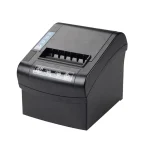


Integrating a compact printer into an equipment control panel can make it easier to produce operating records, measurements, alarms, and other information at the point where a machine is being monitored. A successful installation requires attention to mounting, electrical connections, communication, paper access, and the surrounding operating environment.
A Panel Printer is designed for this type of integrated application, allowing printing functionality to become part of a larger machine or control system. Before installation begins, it is important to confirm that the printer’s physical and electrical specifications are compatible with the equipment.
Check the Installation Requirements
Start by reviewing the printer documentation and the control panel design. Confirm the required mounting dimensions, power supply, interface, paper specifications, and environmental operating limits.
The control panel should provide enough space not only for the printer itself but also for wiring, connectors, paper replacement, and routine maintenance.
Important points to verify include:
- Available panel space and mounting dimensions
- Required supply voltage and current
- Communication interface compatibility
- Paper width and roll diameter
- Required ventilation and environmental conditions
- Access for paper loading and maintenance
Prepare the Control Panel
Before physically mounting the printer, identify the correct installation location. The printer should be positioned where operators can easily access the paper outlet and replace the paper roll when necessary.
Avoid placing the printer where it could interfere with switches, displays, ventilation openings, wiring channels, or other control components.
The panel opening should match the manufacturer’s specified dimensions. An incorrectly sized opening can result in poor alignment or an unstable installation.
Mount the Printer Securely
Once the opening has been prepared, position the printer according to its installation instructions. Use the specified mounting hardware and make sure the unit sits securely within the panel.
The printer should not move excessively during normal operation. In environments with vibration, secure mounting becomes particularly important because movement can affect paper feeding, connections, and long-term mechanical reliability.
Connect the Power Supply
Power should be connected according to the printer’s electrical specifications. Before making any connections, switch off the relevant equipment and follow appropriate electrical safety procedures.
Do not assume that a printer can be connected directly to an available power source simply because the connector appears compatible. The voltage, current requirements, polarity, and grounding arrangements should all be verified.
For industrial installations, electrical work should be performed by appropriately qualified personnel when required.
Connect the Communication Interface
The printer needs a communication connection to receive information from the equipment’s controller or computer. Depending on the model and system architecture, the connection may use an interface such as USB or serial communication.
After connecting the interface, verify that the control system is configured for the printer’s communication settings. Incorrect settings can prevent data from reaching the printer or result in improperly formatted output.
Load the Correct Paper
Install paper that matches the printer’s specified width, thickness, and media type. For thermal printers, use compatible thermal paper rather than ordinary office paper.
Make sure the paper roll is positioned correctly and that the paper path is free from obstructions. Incorrect loading can lead to blank prints, paper jams, uneven feeding, or other operational problems.
Configure the Printing System
After the hardware installation is complete, configure the software or controller that will send information to the printer. Depending on the application, this may involve setting print commands, character formatting, paper handling, or automatic printing conditions.
The system should be configured to print only the information that operators actually need. For example, an automated machine might be programmed to print a production summary at the end of a batch or a record whenever a specific alarm occurs.
Test the Installation
A complete test should be performed before the equipment is returned to normal operation. Begin with a basic print command and check whether the printer responds correctly.
Then test the complete communication process between the control system and printer.
Check the following:
- The printer receives data correctly.
- Text and graphics appear as expected.
- Paper feeds smoothly.
- The paper is positioned correctly.
- Automatic printing events work as intended.
- Cables and connectors remain secure.
- Operators can replace the paper without difficulty.
Testing under normal operating conditions can help identify problems that may not appear during a basic print test.
Consider the Operating Environment
The location of a control panel can expose integrated equipment to dust, vibration, temperature changes, moisture, or other industrial conditions. The printer should be suitable for the environment in which it will operate.
If the equipment is installed in a harsh environment, check the printer’s specified operating limits and consider whether additional protection or enclosure design is necessary.
Plan for Maintenance
Installation should account for future maintenance from the beginning. Operators should be able to access the paper roll and perform routine cleaning or servicing without unnecessarily dismantling the control panel.
Keeping compatible replacement paper and following the printer manufacturer’s maintenance recommendations can help reduce interruptions during operation.
Common Installation Mistakes to Avoid
Several basic mistakes can cause problems after installation. Using an incorrect power supply, choosing unsuitable paper, leaving insufficient clearance, or overlooking communication settings can all affect printer performance.
Another common issue is installing the printer in a location that looks convenient during assembly but becomes difficult to access once the rest of the control panel components are installed. Planning the complete panel layout beforehand can prevent this problem.
Conclusion
Installing a printer in an equipment control panel requires careful coordination between the printer, control system, electrical supply, and physical panel design. Proper mounting, compatible wiring, suitable paper, correct communication settings, and thorough testing all contribute to reliable operation.
By planning the installation around both current requirements and future maintenance, manufacturers can integrate printing functionality into control panels without unnecessarily complicating the equipment. Safety procedures and the printer manufacturer’s installation instructions should always take priority during the process.